




Table of Contents
- What Is a Knowledge Center?
- How Knowledge Centers Drive Qualified Traffic and Conversions
- What Is a Content Hub?
- How Knowledge Centers and Content Hubs Work Together
- How To Build a Knowledge Center for Your Organization
- Tips for Creating an Effective Content Strategy
- SEO and Digital Marketing Strategies To Drive Traffic
- Social Media and Email Marketing Tips for Traffic Growth
- Driving Long-Term Growth With Knowledge Centers and Content Hubs
At Fractl, we think about content hubs and knowledge centers differently than most agencies. Rather than treating them as simple blog reorganizations, we build them as strategic systems, organizing tools, FAQ pages, and mid-to-bottom funnel pillar topics that capture qualified search traffic at every stage of the buyer’s journey.
People don’t search in a straight line. For instance, a potential customer might start with a broad question, move to a comparison page, then look for a specific how-to guide before they’re ready to act. A well-built knowledge center or content hub maps to that behavior so the right resource meets the right intent at the right moment. That structure helps search engines crawl and index your pages more effectively, and helps readers find the guides, answers, and resources they’re looking for.
This approach also boosts the metrics that matter most for long-term growth. When content is organized around real user intent, visitors stay longer, engage more deeply, and are less likely to bounce. That’s how our systems drive consistent, qualified traffic while building credibility in your niche.
Let’s break down how knowledge centers and content hubs work, why they’re powerful, and how we build them.
What Is a Knowledge Center?
A knowledge center is a centralized library of evergreen resources (things like FAQs, how-to guides, product explainers, and educational content) that help users find answers quickly. Unlike a content hub, which attracts broad audiences at the top of the funnel, a knowledge center is built for mid-to-bottom funnel visitors (those who are ready or almost ready to purchase) who already know what they’re looking for and need trustworthy information to make a decision.
The key distinction is how the content is organized. A knowledge center structures resources around specific user needs — questions they’re asking, problems they’re solving, or options they’re comparing. In practice, that looks different depending on the business:
- A web hosting company might build guides on SSL certificates, DNS setup, and WordPress optimization, structured so users can self-serve without submitting a support ticket.
- An e-commerce brand might organize around shipping policies, return processes, and product care instructions.
- A financial services company might create dedicated pages for each loan product (breaking down how each one works, who it’s for, and how to apply), so prospective borrowers can evaluate their options in one place.
In each case, the content is organized by the problems or decisions users are actively working through. That structure also builds topical authority; when search engines see a well-interlinked library of resources answering related questions, they’re more likely to rank those pages, driving qualified traffic from users who are already close to converting.
How We Built a Knowledge Center for Clarify Capital
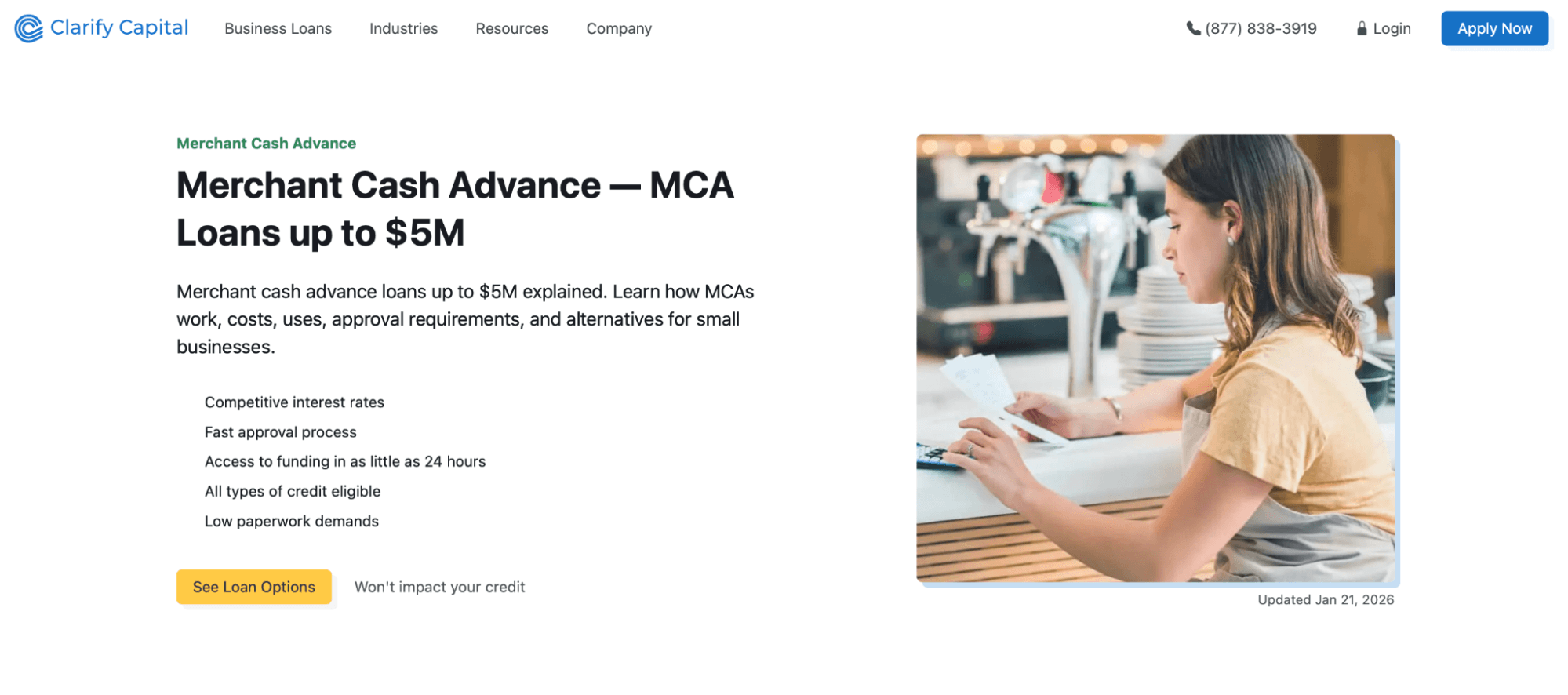
When we partnered with Clarify Capital, we built out a library of educational loan product guides, each answering a specific question a potential borrower would have during their decision-making process. Pages covering specific loan products — like invoice factoring, SBA loans, and merchant cash advances — target bottom-of-funnel users who are actively evaluating their financing options and ready to apply.
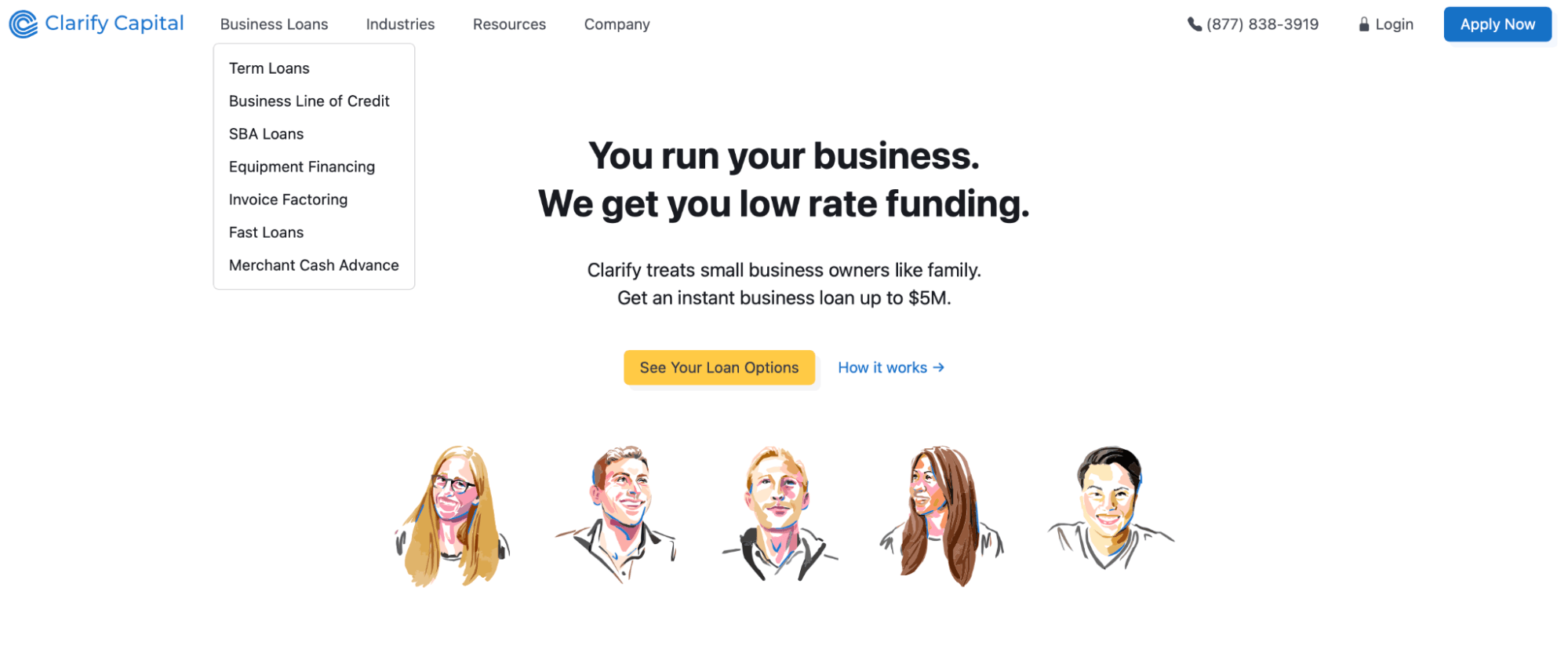
Since our engagement began, Clarify Capital’s organic traffic has grown from roughly 5,200 monthly visits to over 27,700 — a 425% increase — while monthly traffic value climbed from about $41,000 to nearly $129,000. That growth was driven by ranking improvements for high-intent keywords like “fast business loans” and “merchant cash advance,” which helped move users from educational content toward loan applications.
How Knowledge Centers Drive Qualified Traffic and Conversions
A knowledge center does more than house information — it captures search demand from high-intent users. When someone searches for a specific product comparison, how-to question, or decision-stage query, they’re signaling clear intent. A knowledge center positions your brand to meet that intent with the right resource at the right moment. Here’s how:
- FAQ pages and glossaries. These target long-tail, question-based queries that users are actively searching. They’re also prime candidates for featured snippets and People Also Ask placements.
- How-to guides and tutorials. Step-by-step content builds trust and keeps users on-site longer, improving engagement metrics that signal quality to search engines.
- Product and process explainers. Detailed breakdowns of how a product or service works help users evaluate their options and move closer to a decision.
- Troubleshooting resources. Solving problems quickly improves retention and reduces churn while also ranking for the specific queries users turn to when they need help most.
When these resources are clearly organized and strategically interlinked, they create a self-reinforcing system: each page strengthens the authority of the others, driving more qualified traffic and guiding users toward conversion.
What Is a Content Hub?
A content hub is a collection of resources centered around a specific theme. A traditional blog will list its posts in chronological order, while a content hub organizes the materials by topic. Having a hub like this helps users find and explore content in detail. It’s especially useful for businesses looking to improve visibility and engage their target audience.
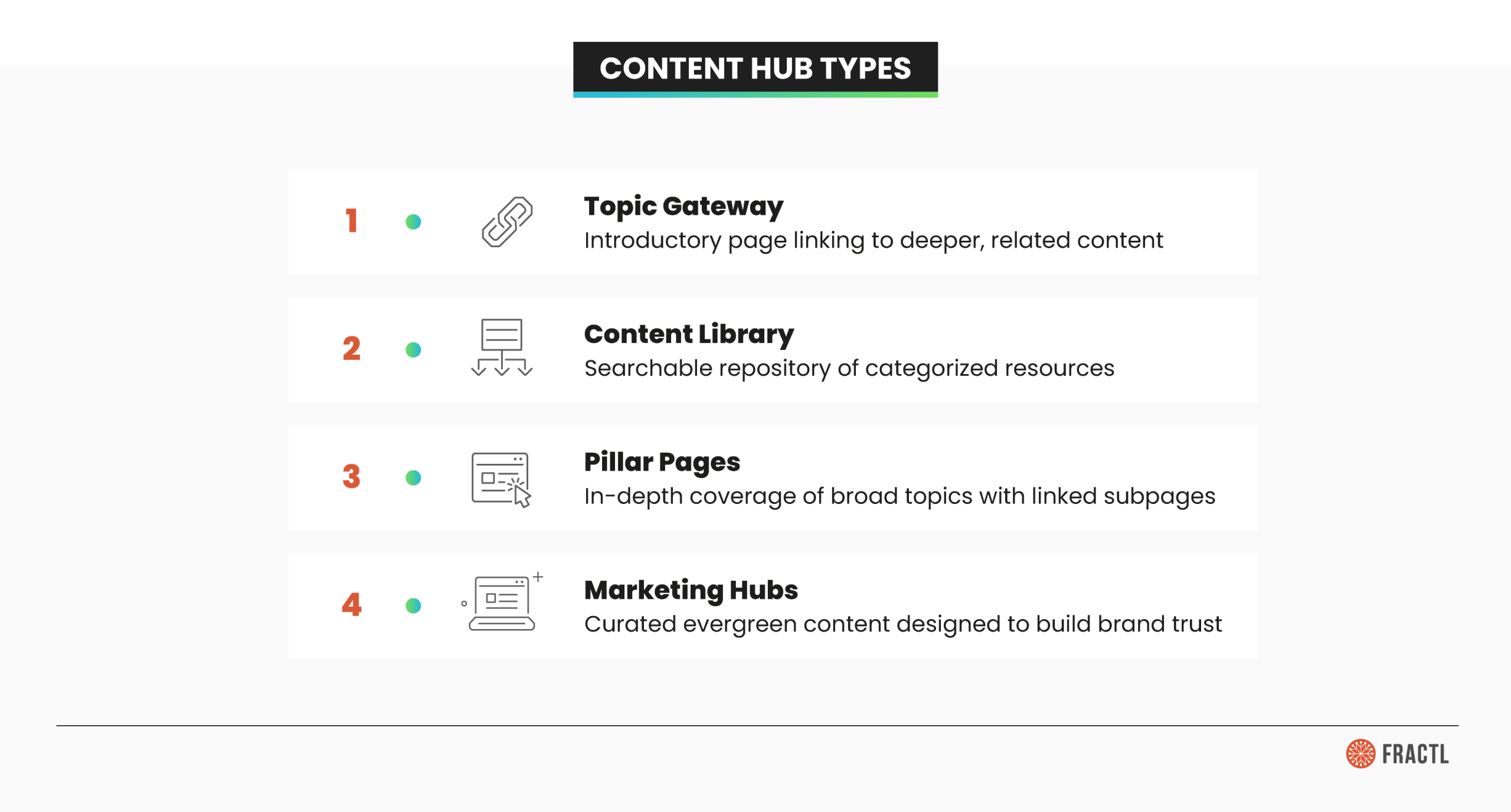
Content hubs serve all kinds of purposes and come in different structures. Common formats include:
- A hub page that acts as the main anchor
- A topic gateway that gives an overview
- Pillar pages that support detailed subtopics
Together, these formats create a content library that provides both breadth and depth, making the hub a reliable source for information.
Types of Content Hubs
Different content hubs serve different functions, but all follow a similar structure: a main page that organizes related subtopics.
The choice of hub type matters because it affects both SEO and user experience (UX). A well-designed hub supports a content marketing strategy by guiding readers from high-level, evergreen content to more in-depth resources tied to the main topic.
Topic Gateway
A topic gateway provides a high-level overview of a main topic while serving as an entry point into more detailed materials. Its role is to introduce the subject in clear, accessible language and then link out to supporting subpages. This approach allows users to start broad and drill down into the aspects most relevant to them.
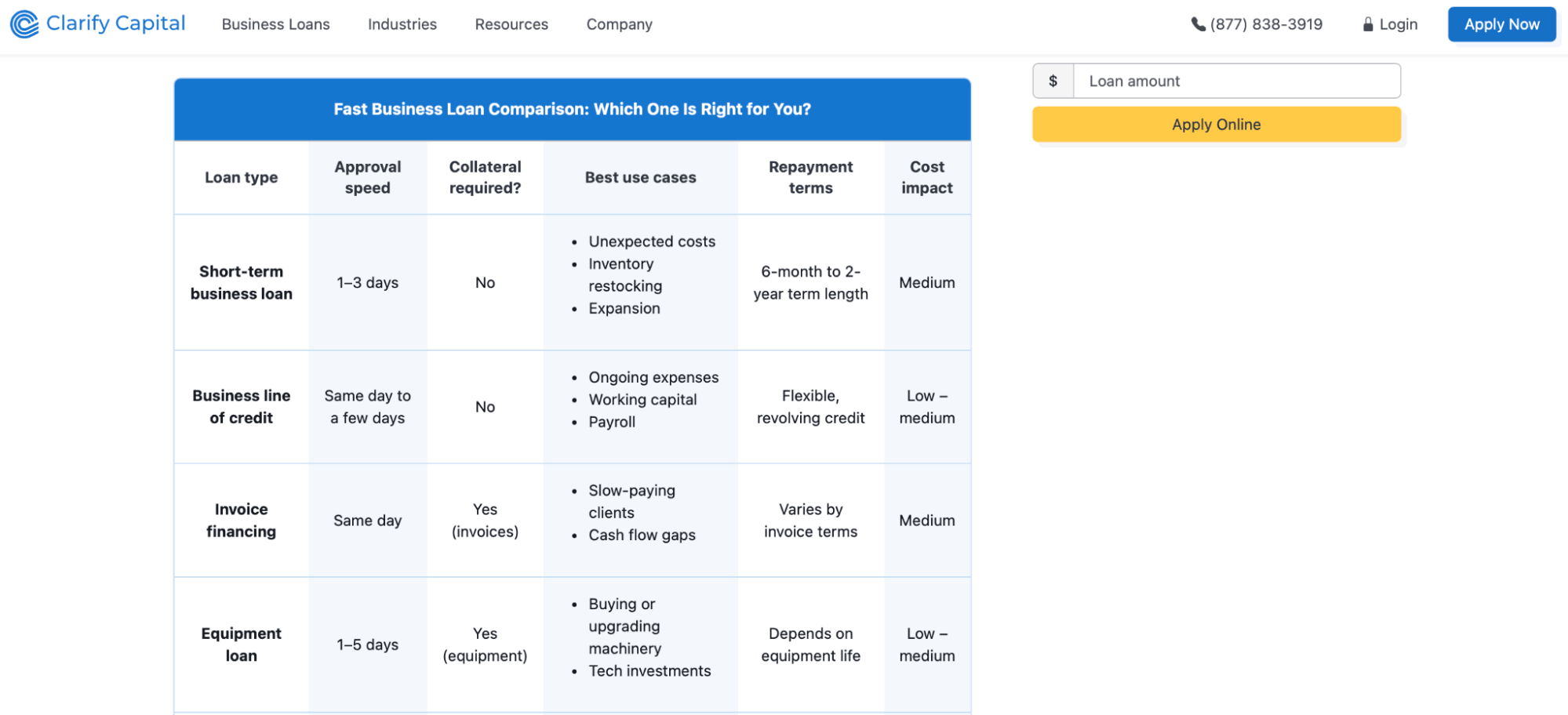
For example, we built Clarify Capital’s fast business loans page as a topic gateway — it introduces the concept at a high level, then links out to specific loan types like merchant cash advances and SBA loans based on user intent.
Content Library
Think of a content library as a searchable resource center that helps users find exactly what they need. Acting as a dynamic content database, your content library might include things like tutorials, case studies, and FAQs. A content library should be well-organized with clear categories and filters. This way, users can access resources quickly without wading through unrelated material.
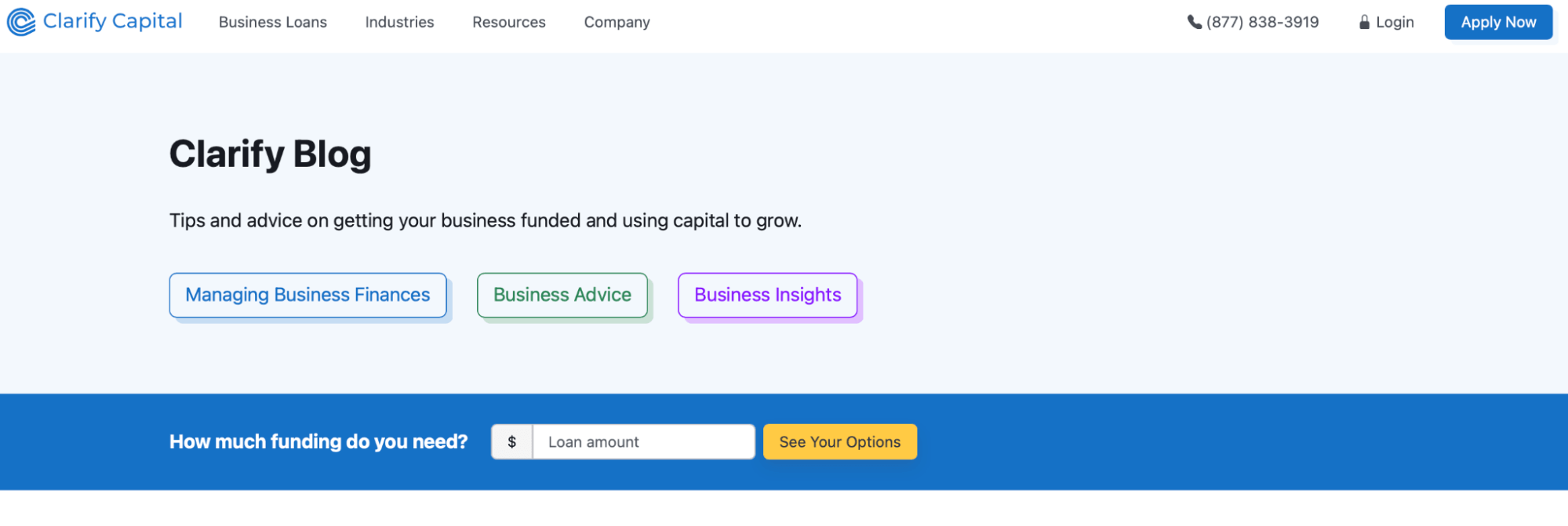
We built Clarify Capital’s blog from scratch as a content library: a centralized hub organized by topic so users can find relevant financial content without sifting through unrelated material.

Pillar Pages
Pillar pages cover a broad topic in detail. They act as central points in a hub-and-spoke model, where supporting content connects as landing pages focused on related subtopics. This setup improves SEO performance by showing search engines that the pillar page is the main source on that subject.
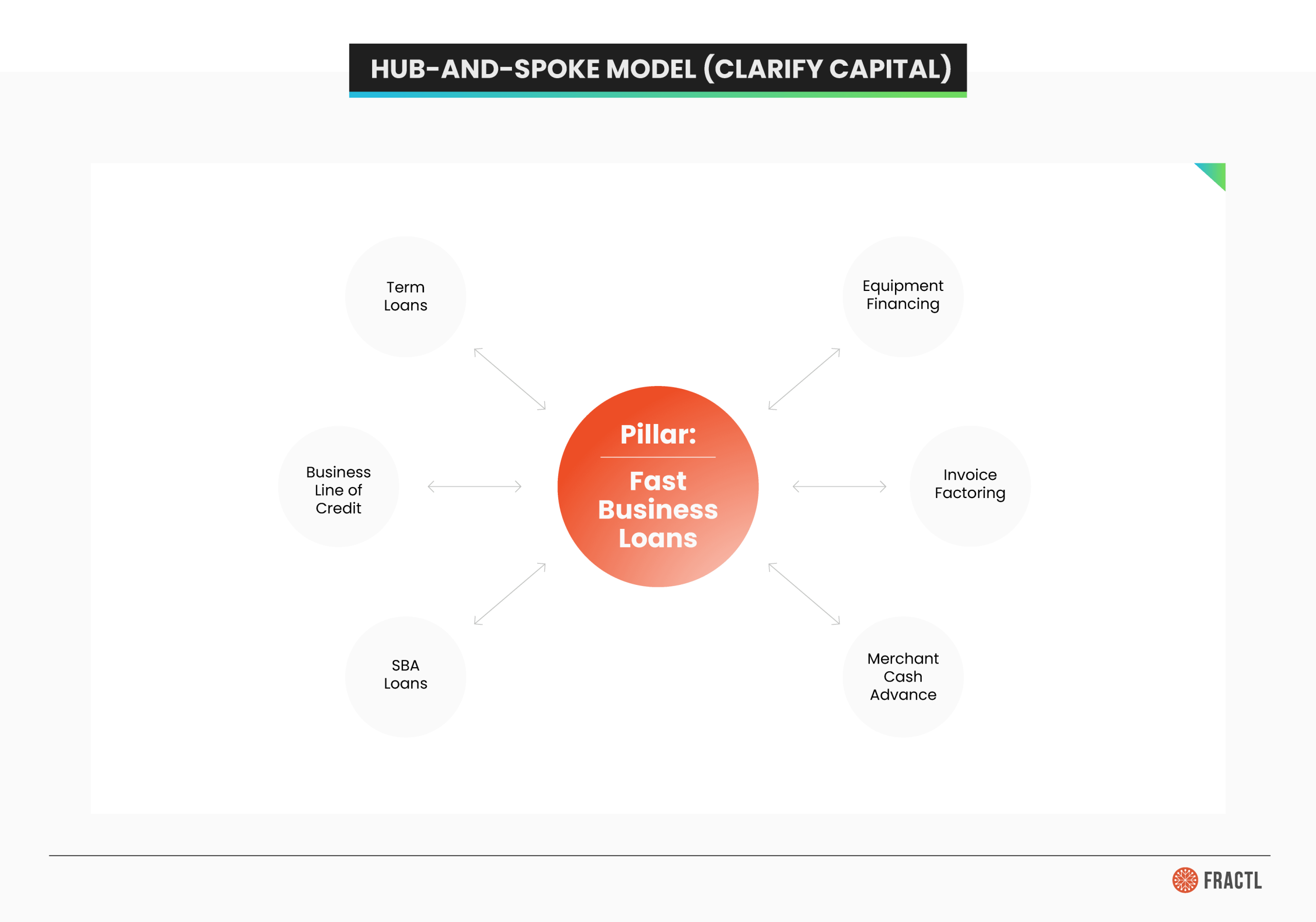
Clarify Capital’s fast business loans page functions as a pillar page, with individual loan-type pages connected as spokes. This structure helped drive ranking improvements for high-intent keywords and moved users from educational content toward loan applications.
Marketing Hubs
A marketing hub is a curated collection of evergreen content. The goal is to increase brand awareness. Unlike a static library, a marketing hub focuses on engagement through various formats, such as whitepapers, webinars, and podcasts. These different formats attract different audience preferences while building trust and establishing thought leadership.
How Content Hubs Help With SEO and Marketing
Content hubs structure your website, making it easier for both readers and search engines to navigate. Grouping related resources under a central hub creates a more cohesive user experience. This also supports broader marketing goals by aligning digital content with user intent and building trust over time.
Other benefits include:
- Improved SEO. Organized hubs make it easier for search engines to crawl and strengthen topical authority, improving keyword rankings.
- Stronger internal linking. Hub-and-spoke connections guide readers through related content and distribute authority across the site.
- Higher engagement and trust. Valuable resources like articles and case studies attract backlinks and build brand credibility.
- Increased visibility. The hub and spokes reinforce each other, driving organic traffic and supporting brand awareness.
How Knowledge Centers and Content Hubs Work Together
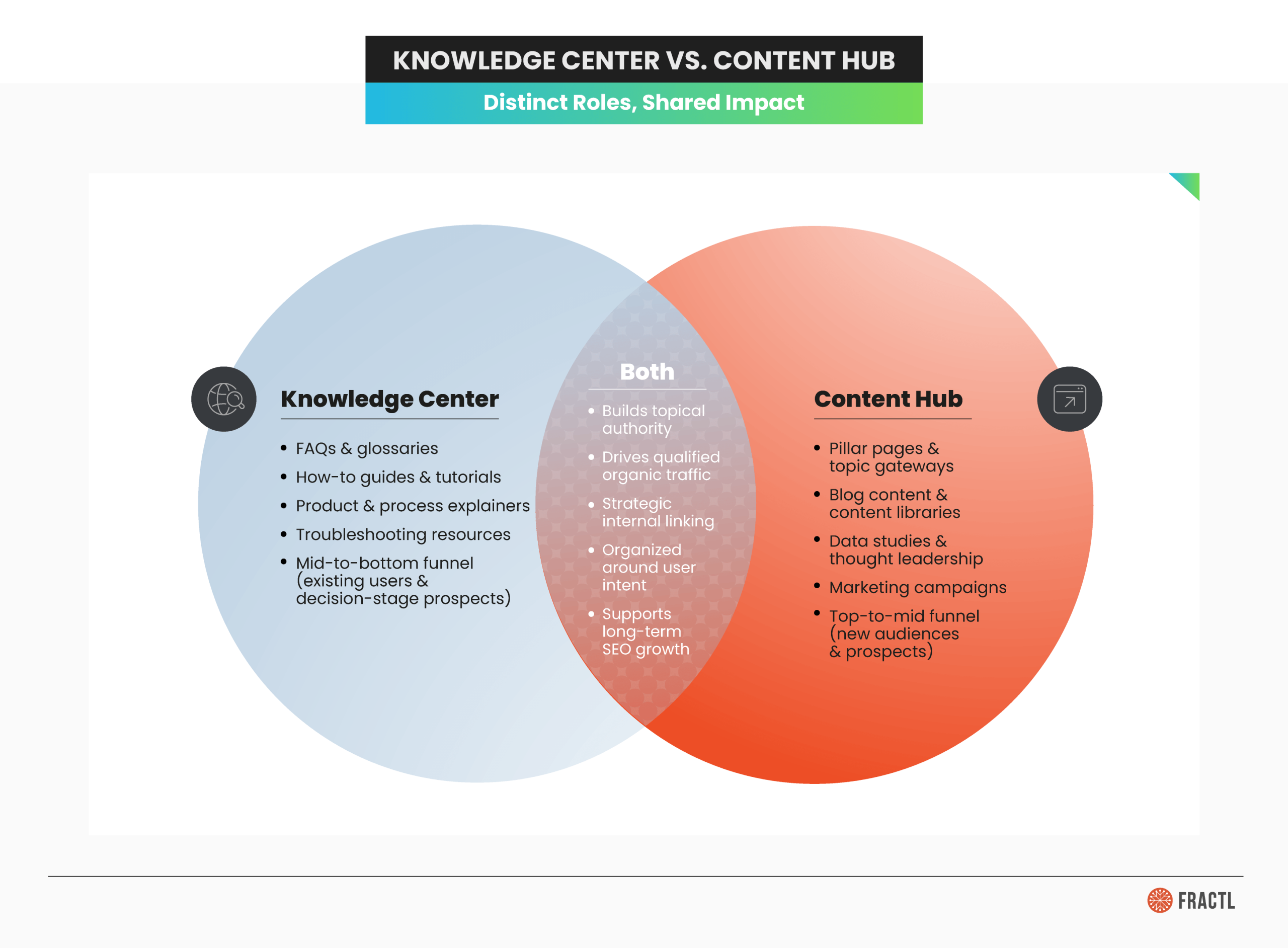
Knowledge centers and content hubs serve different stages of the funnel, but they’re most effective when they work as a system. Here’s why:
- Funnel coverage. A content hub attracts new audiences through top-to-mid funnel content organized around broad themes, while a knowledge center captures mid-to-bottom funnel users who are closer to a decision and need specific, actionable information.
- Strategic interlinking. A content hub article introducing a broad topic can link directly to a knowledge center resource that answers a more specific question, moving the reader deeper into the funnel without friction. Every interlinked page also strengthens topical authority, giving search engines more reasons to rank both.
- Awareness-to-decision handoff. A content hub post about small business financing trends might link to a knowledge center guide on how SBA loans work. The reader arrives with general interest and leaves with the detailed information they need to act, and that handoff is where the value shows up in your traffic and conversion data.
How To Build a Knowledge Center for Your Organization
Building a knowledge center that drives results requires a strategic approach rooted in data, audience insights, and content expertise. Fractl helps organizations develop knowledge centers that align with business goals and deliver long-term organic growth.
Here’s what that process looks like:
- Start with a content gap analysis. Before creating anything, we research what your audience is searching for and where competitors fall short. This ensures every resource in your knowledge center targets real demand rather than assumptions.
- Develop content that ranks and converts. From in-depth guides and tutorials to case studies and FAQs, we produce content that outperforms what’s in the SERPs and moves readers to action. This approach has driven meaningful results across industries.
- Lay the technical groundwork. Clear site architecture, intuitive navigation, and sound technical SEO help search engines crawl and index your knowledge center effectively so the content you invest in actually gets discovered.
Ready to build a knowledge center tailored to your organization? Get in touch with Fractl to get started.
Tips for Creating an Effective Content Strategy

Effective content starts with a strong strategy that maps to the full content lifecycle, from planning to publishing. Each stage should connect to deliverables that support both readers and business goals:
- Map to the content lifecycle. Define clear deliverables for each stage, from planning and production to publishing and promotion, so every piece of content serves a specific purpose.
- Organize by topics. Define a central theme, branch into subtopics, and use templates to maintain a consistent structure.
- Optimize for conversions. Add CTAs and landing pages designed to capture leads or drive meaningful customer actions.
- Repurpose and expand. Combine existing assets like articles or case studies with new resources to create a comprehensive system.
SEO and Digital Marketing Strategies To Drive Traffic
Content only succeeds if it reaches the right audience, which makes optimization essential. By combining SEO fundamentals with authority-building and strategic promotion, businesses can maximize visibility and long-term performance:
- Prioritize SEO. Use keyword research and on-page SEO plus technical SEO to align relevant content with target queries and ensure discoverability.
- Build authority. Strengthen your site’s authority with link building (acquiring backlinks), internal linking, compelling meta descriptions, and guest posting opportunities.
- Promote strategically. Extend reach with paid advertising, such as PPC and Google Ads, to complement organic efforts.
- Measure performance. Leverage SEO tools like Semrush, Ahrefs, Google Analytics, and Google Search Console to track traffic and uncover growth opportunities.
Social Media and Email Marketing Tips for Traffic Growth
Promotion is just as important as creating the content itself. Social media marketing and email marketing amplify reach, attract new visitors, and keep audiences engaged over time. Tailoring tactics to different channels and demographics builds credibility and strengthen long-term relationships:
- Leverage social media. Use LinkedIn for B2B visibility and TikTok for younger audiences with creative, short-form content.
- Integrate influencer marketing. Partner with influencers and share press releases to boost credibility and expand brand awareness.
- Run email campaigns. Send regular updates to your email list with a clear call to action (CTA) to drive subscribers back to your content.
- Foster community engagement. Participate in forums or community-driven platforms to deepen trust and reinforce ongoing relationships.
To prove their content’s value, businesses need to track performance against clear goals. Metrics and analytics reveal what’s working, where audiences engage most, and how strategies should evolve over time.
Here’s how to combine traffic data with user insights so you can connect content performance to long-term growth:
- Monitor SEO metrics. Track keyword rankings, organic traffic, and click-through rates as baseline performance indicators.
- Use analytics tools. Leverage Google Analytics and Search Console to measure growth, evaluate CTAs, and uncover referral traffic opportunities.
- Analyze audience behavior. Review engagement, demographics, and user journeys to better align content with audience needs.
- Refine strategy. Apply insights from SEO and analytics tools to strengthen visibility, improve user experience, and support long-term goals.

Driving Long-Term Growth With Knowledge Centers and Content Hubs
Bringing together knowledge centers and content hubs delivers a better user experience while helping organizations streamline both internal workflows and external marketing efforts. The result is a stronger foundation for sustainable growth in digital marketing.
For small business owners, enterprise teams, and even bloggers, these tools offer a practical way to increase website traffic, improve visibility, and strengthen brand awareness. By organizing resources and sharing engaging content through a clear system, companies can better serve their audience and build authority within their niche.
The long-term payoff comes from consistency. A thoughtful marketing strategy built on hubs and knowledge centers ensures information stays accessible, reliable, and adaptable to changing demands.
Now is the time for business owners to evaluate existing content and begin optimizing for the future. Combining hubs with knowledge centers can transform scattered materials into a cohesive engine for growth that attracts readers, builds loyalty, and supports measurable results.
Ready to turn your content into a system that drives qualified traffic? Explore Fractl’s content marketing services to see how we build knowledge centers and content hubs that deliver long-term organic growth.